




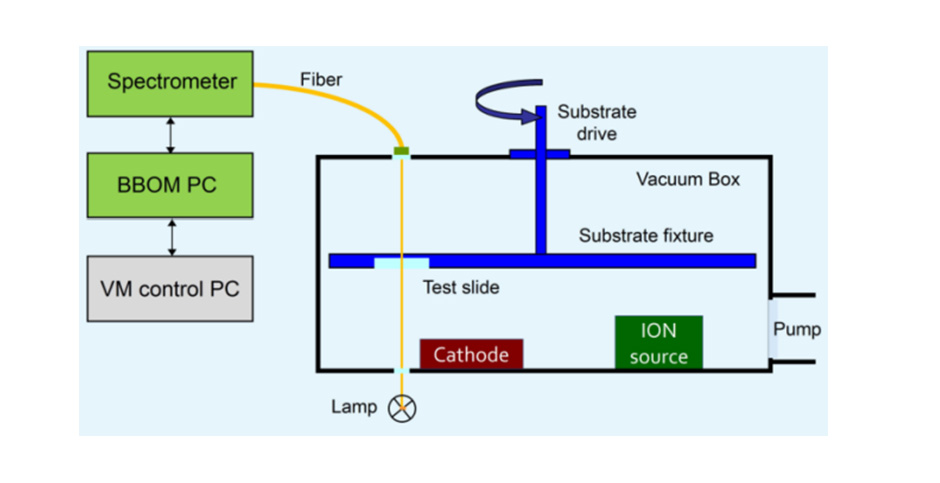
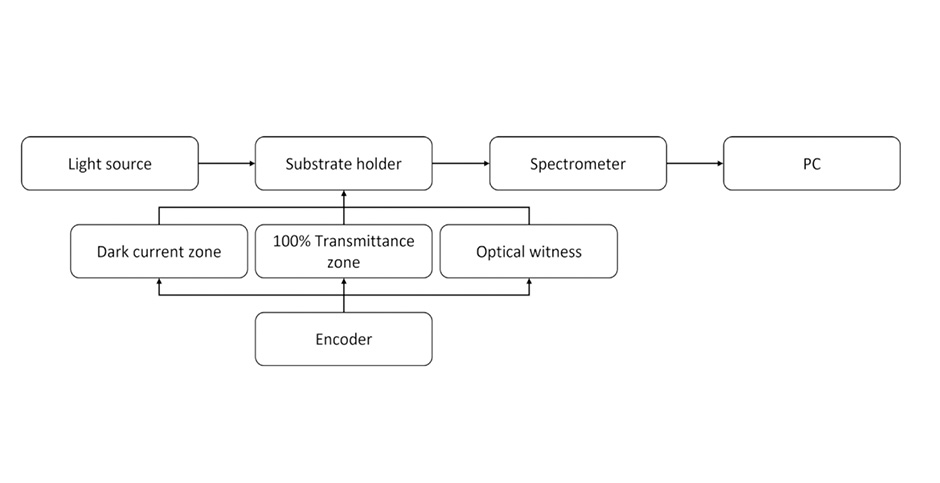
This software monitors the transmission (or reflection) spectrum of the light beam passing through the coated sample, and provides spectral prediction function to ensure timely termination of film deposition.
This software includes the OptiReOpt library, which can obtain the deviation generated by the previously coated layer, recalculate the final spectral curve, and compare it with the theoretical (ideal) spectrum. By re optimizing the film structure, the deviation between theory and practice can be minimized. This software supports integration with vacuum deposition systems, enabling automatic control of coating machine baffles and generation of layer termination signals.
-
Introduction to Software Function Modules:
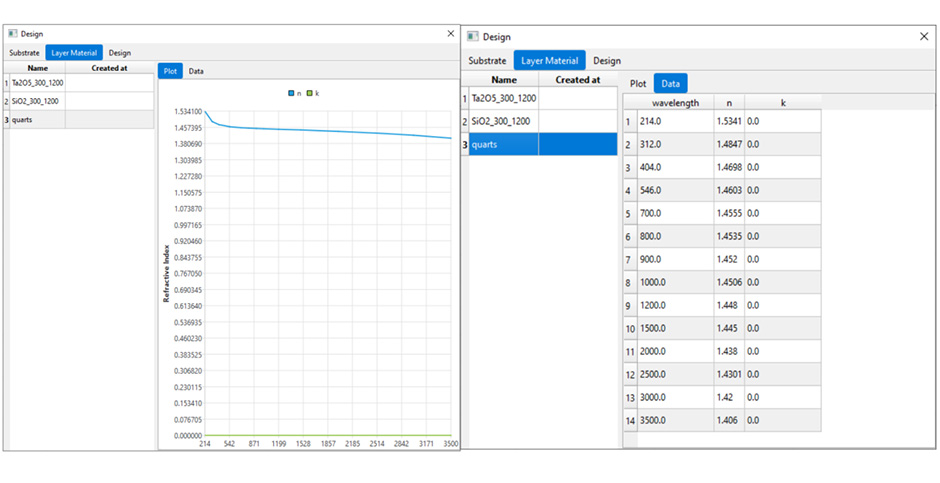
1. Project file reading: Able to directly read LMR file format, including substrate, materials, and membrane design structure

2. Parameter settings, select spectrometer type, scanning frequency, exposure time, etc.

2.1 Process settings, including starting and ending wavelengths, polarization state, incident angle, etc

3.Monitoring of Thin Film Deposition Process
After setting the parameters, real-time signal monitoring can be performed during the thin film deposition process. On this interface, it can be displayed

-Theoretical curve - the theoretical spectral curve of the current film layer calculated by optilayer
-Real time curve measured by spectrometer
You can view the physical and optical thickness of the coated layer in the thickness tab

4. Process simulator
According to the set coating control parameters, the thin film deposition process can be simulated

-
Other features:
• Layer termination trigger signal output, layer start trigger signal input
• The coating process is manually terminated
• Automatically recalculate thickness and refractive index after each layer is completed
• A signal to stop sedimentation can be added between every two measurements
• Upload the previous spectral data and start coating from any layer
• Based on previous coating errors, the final predictable spectrum can be viewed, regardless of how many layers have already been coated
• During the sedimentation process, the re optimization function can be disabled layer by layer through dialog boxes or control buttons